- AI agents
- PostgreSQL
- Security
Before you connect an AI agent to your production database, answer these 5 questions
Connecting an AI agent to your production database? Answer five questions first: write access, table scope, query timeouts, SQL checks and where data goes.

Jayendrasinh Zala · Co-founder & Director, Trinevia
· 8 min read
An AI agent that can answer questions from your own data is one of the most useful features you can ship this year. Ask "which customers are more than 60 days overdue?" and get a chart back, without waiting for someone who writes SQL. It is also one of the easiest features to get wrong, because the agent is now writing queries against the database your business runs on.
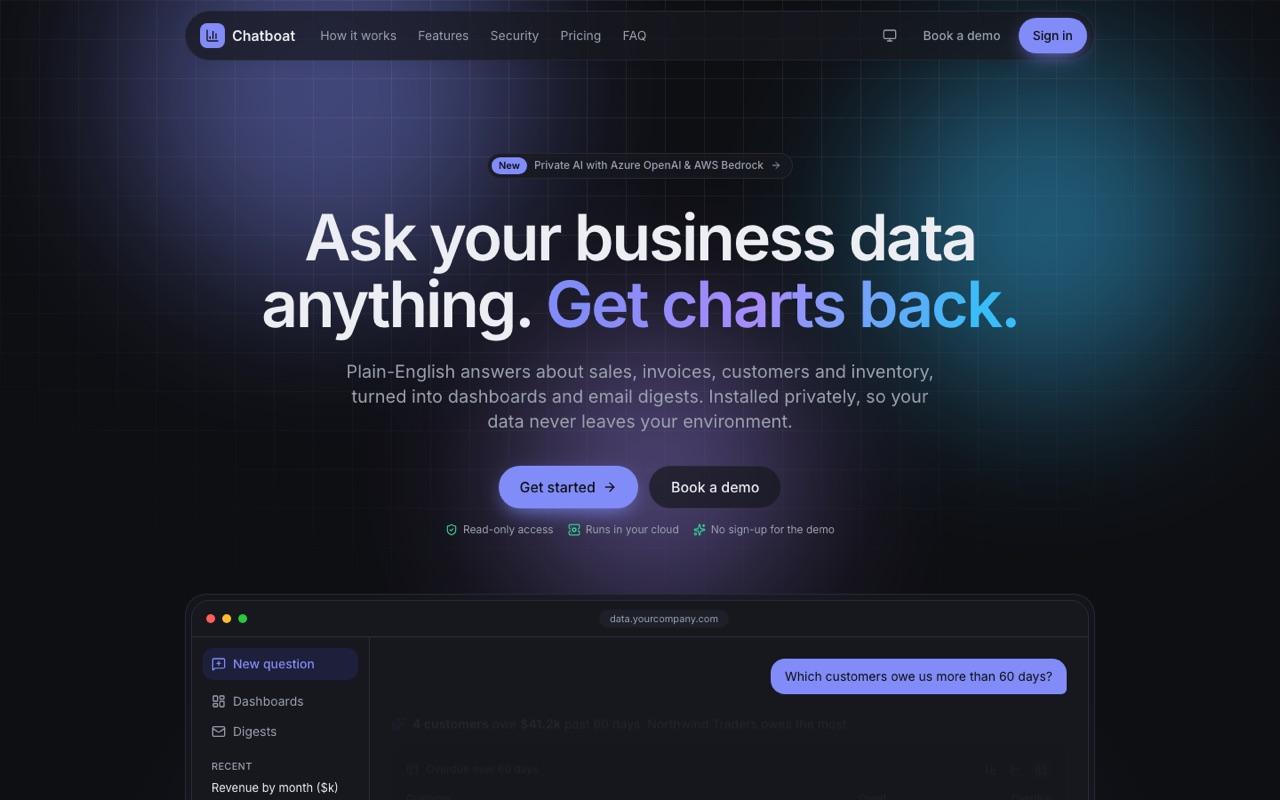
We built this kind of product for a US client. Chatboat is an AI analytics product that lets sales, finance and operations teams ask questions in plain English and get charts, dashboards and emailed digests back. The interesting engineering was not the language model. It was everything around it, because the buyer's first question was never "how smart is it?" It was "what can it do to our database?"
If you are a founder or CTO about to give an agent access to production data, these are the five questions we would answer before writing the first prompt.
1. Can it write, or only read?
Most analytics agents only need to read. So the database user they connect with should only be able to read. Not "we told the model to only write SELECT statements", but a database role that has no permission to insert, update, delete, alter or drop anything.
Prompts are instructions, not controls. A model can misread a question, follow text injected into a field it reads, or produce a statement you did not expect. The database's own permission system does not care what the model meant. If the role cannot write, nothing the agent generates can change your data.
Chatboat connects with a read-only database user, so the product cannot change customer data. That single decision also made the security conversation with buyers much shorter.
2. Which tables can it see?
Use an allow-list, not a block-list. A block-list ("everything except users and payment_methods") fails silently: the next migration adds a table with sensitive data, and the agent can read it on day one. An allow-list fails safe: a new table is invisible to the agent until someone decides it should be visible.
Chatboat limits every query to an allow-list of tables. In practice, start with the handful of tables that answer the questions your users actually ask, such as invoices, customers, products and orders, and add more only when a real question needs them.
Two refinements are worth considering. PostgreSQL supports column-level grants, so you can expose customers.name and customers.country without exposing email addresses or tax IDs. And if your product is multi-tenant, row-level security or a per-tenant view keeps one customer's agent from reading another customer's rows.
3. What stops a runaway query?
Sooner or later, a model will write a query that joins two large tables without a useful filter, or sorts your biggest table on an unindexed column. On a read-only connection that cannot corrupt data, but it can still slow down the database your checkout or billing runs on.
The fix is a hard timeout that the database enforces. Chatboat stops any query after five seconds. A failed query with a clear message ("that question took too long; try a narrower date range") is a better experience than a dashboard that hangs, and it protects the customer's production system, not just your app.
Set the timeout on the database role itself, so it applies even if application code forgets to. If you can, also point the agent at a read replica rather than the primary.
A minimal PostgreSQL setup
Here is what the first three answers look like in PostgreSQL. Table names are examples; replace them with your own allow-list.
-- 1. A login role for the agent. It owns nothing and starts with no table access.
CREATE ROLE ai_agent_ro LOGIN PASSWORD 'use-a-secret-manager';

-- 2. Every session is read-only and every statement stops after 5 seconds.
ALTER ROLE ai_agent_ro SET default_transaction_read_only = on;
ALTER ROLE ai_agent_ro SET statement_timeout = '5s';
ALTER ROLE ai_agent_ro SET idle_in_transaction_session_timeout = '30s';

-- 3. Allow-list: grant SELECT on named tables only.
GRANT CONNECT ON DATABASE app TO ai_agent_ro;
GRANT USAGE ON SCHEMA public TO ai_agent_ro;
GRANT SELECT ON public.invoices, public.products, public.orders TO ai_agent_ro;

-- 4. Column-level grant: names and countries, but no emails or tax IDs.
GRANT SELECT (id, name, country, created_at) ON public.customers TO ai_agent_ro;Two details matter here. Do not use GRANT SELECT ON ALL TABLES IN SCHEMA or ALTER DEFAULT PRIVILEGES for this role; both turn your allow-list back into a block-list. And on PostgreSQL 14 or older, run REVOKE CREATE ON SCHEMA public FROM PUBLIC so the role cannot create objects in the public schema.
In application code, it is worth repeating the guard per transaction, so a misconfigured role is not your only line of defense:
const client = await pool.connect();
try {
  await client.query("BEGIN READ ONLY");
  await client.query("SET LOCAL statement_timeout = '5s'");
  const result = await client.query(checkedSql);
  await client.query("COMMIT");
  return result.rows;
} catch (error) {
  await client.query("ROLLBACK");
  throw error;
} finally {
  client.release();
}4. What checks the generated SQL before it runs?
Database permissions are the floor. A check in your own code is what lets you return a helpful error instead of a permission failure, and catch things permissions do not cover. In Chatboat, every generated query is checked before it runs.
What a check should cover depends on your product, but for an analytics agent we would start here:
- Parse it, don't pattern-match it. Use a real SQL parser for your database dialect. Regular expressions miss comments, quoting and nested statements.
- One statement, and it must be a SELECT. Reject anything with multiple statements, data changes, DDL or transaction control.
- Every referenced table is on the allow-list. Walk the parsed query, including subqueries and CTEs, and compare each table against the same list the database role uses.
- No dangerous functions. Block functions that sleep, read files or open connections to other servers, such as
pg_sleep,pg_read_fileanddblink. - A row limit. Add or tighten a
LIMITso a question cannot return millions of rows to the browser. - Log it. Store the question, the generated SQL, whether it passed the check and how long it ran. When a customer asks what the agent did, you can show them.
5. Where do the data and the model live?
This is the question a security reviewer will ask first, and it is the hardest one to retrofit. When your agent turns a question into SQL, something has to send the question and your schema to a language model. Then the results come back. Your customer will want to know which model provider sees what, in which region, and whether any of their rows end up in your systems.
Chatboat was designed so customers can bring their own model: Azure OpenAI, AWS Bedrock or a self-hosted model. The model then runs in an account the customer already controls and has already approved. And no customer rows are copied out of the customer's environment.
For your own product, decide these before the first enterprise conversation:
- What the model sees. The question and the schema, or result rows as well? Sending less is easier to defend.
- Whose model account it is. Yours, the customer's, or a self-hosted model on their infrastructure.
- Which region it runs in. For EU customers, running the model and the database in an EU region keeps GDPR questions about international transfers much simpler.
- What you store. Query logs are useful, but decide whether they include result data, how long you keep them and who can read them.
Write the answers down in a one-page data-flow document. You will reuse it in every security questionnaire, and it forces the team to agree on what the product actually does.
The checklist
- Write access: the agent connects with a read-only database role. Writes, if any, go through typed actions in your API.
- Table scope: an allow-list of tables (and columns, where needed), enforced by database grants.
- Runaway queries: a hard
statement_timeouton the role, repeated per transaction, ideally on a read replica. - SQL checks: every generated query is parsed and checked against the same allow-list before it runs, and logged.
- Data and model: a written answer to what the model sees, whose account and region it runs in, and what you store.
None of this is exotic. It is least privilege, timeouts and logging, applied to a new kind of client. But it is much easier to build in from the first sprint than to bolt on after a buyer's security team sends you their questionnaire.
If you are planning an AI feature on top of your own data and want a second opinion on the design, we are happy to walk through it with you. Our AI agents and automation team builds these with the guardrails above from day one.